


콜 오브 듀티: 모바일 게임 충전
 global(ex-RU)
 5%
 5%
 5%
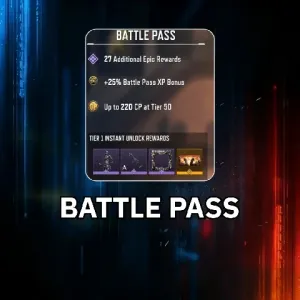 5%
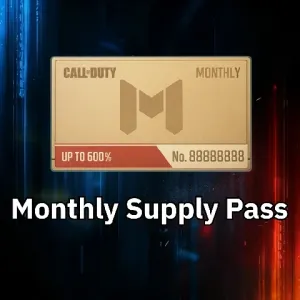 5%
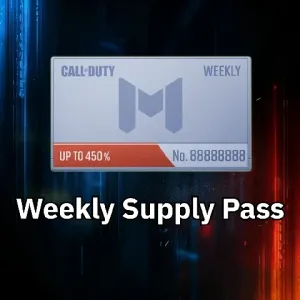 8%
 5%
 5%
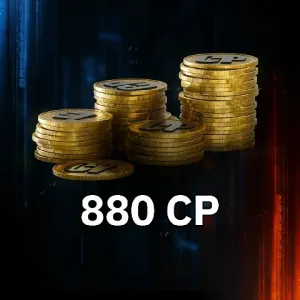 6%
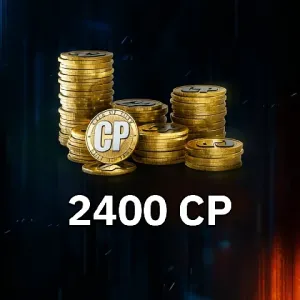 6%
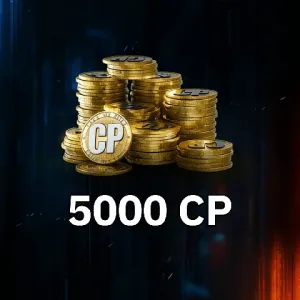 8%
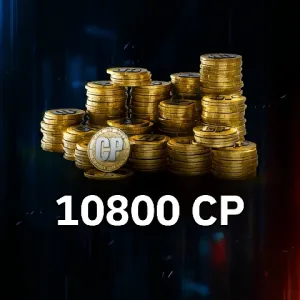
원하는 게임 선물 팩이 없나요?
상품 설명
Join Discord and Get a 5% Discount Coupon Instantly!
Discord Link: https://discord.gg/DDPxwNu7D2
After joining our Discord community, you can also get the latest top-up offers, event updates, and customer support, making every recharge more convenient and cost-effective.
Currency Introduction
In Call of Duty: Mobile, the main premium currency is CP / COD Points. CP can be used to purchase Battle Passes, Lucky Draws, weapon blueprints, character skins, bundles, crates, and limited cosmetics.
More CP means more unlockable content, faster access to seasonal rewards, and richer customization options, helping players save time and enhance their gameplay experience.
What Are the Benefits of Topping Up with Us?
This is where Grecharge comes in.
We provide a secure and budget-friendly way to top up Call of Duty: Mobile, helping you enjoy more CP and in-game resources without overspending.
Every transaction focuses on security, while Grecharge also offers reliable global service, multilingual support, and competitive discounts. More CP means more Battle Pass rewards, more weapon blueprints, more character skins, and more limited bundles.
Top up Call of Duty: Mobile with Grecharge and take your gaming experience to the next level.
Top-Up Process
🌍 Service Coverage
Supported Platform:
- Mobile
Supported Server / Region:
- Global version, excluding RU
Top-Up Information
To ensure your recharge is delivered accurately and on time, please provide the following information according to the product type:
Login Method:
- Call of Duty
- Garena
- Google, 2-step verification must be enabled
Other Required Information:
- Game account
- Game password
- Character name / player nickname
- CP denomination, bundle, or item name you want to purchase
Please make sure all required information is accurate to ensure your top-up is delivered on time.
Security Reminder:
Please submit required information only through the official Grecharge website, order page, or platform customer support system. Do not share your account, password, verification codes, or other sensitive information through unofficial channels, public chats, or unknown private messages.
Important Reminders
- Please first bind an official email address in the game for login. Direct third-party login methods such as X are currently not supported.
- Do not log in to the game during the recharge process. We recommend changing your account password after the recharge is completed.
RU region is not currently supported!
How to Top Up Call of Duty: Mobile on Grecharge
Assisted Top-Up Process
- Log in to the official Grecharge website and select your language and currency.
- Search for and select Call of Duty: Mobile products.
- Choose the CP denomination, bundle, or other item you want to recharge.
- Follow the page instructions and enter the required Call of Duty: Mobile information, such as login method, game account, game password, and other details.
- After confirming that the information is correct, click “Recharge” or “Buy Now.”
- Select your preferred payment method and complete the payment.
- Please provide your account login email or required login information to the Grecharge customer support team through the platform’s customer support system. If a verification code is required during the process, submit it only after confirming that you are using the official support channel.
- After the recharge is completed, log in to Call of Duty: Mobile and check whether the CP, bundle, or items have arrived in the game.
- If you encounter any issues, please contact customer support. Contact method: click the customer support button at the bottom right of the platform.
Please make sure all required information is accurate so that your top-up can be delivered on time.
After the purchase or recharge is completed, we will log out of your account and clear the login records. You will receive a notification, after which you can log in to the game and verify the transaction.
Direct Top-Up Process
- Log in to the official Grecharge website and select your language and currency.
- Search for and select Call of Duty: Mobile products.
- Choose the CP denomination, bundle, or other item you want to recharge.
- Follow the page instructions and enter the required Call of Duty: Mobile information, such as login method, game account, and game password. If required by the page, also provide your game server / region, game UID / Player ID, and character name / player nickname.
- After confirming that the information is correct, click “Recharge” or “Buy Now.”
- Select your preferred payment method and complete the payment.
- After payment is completed, you can check the recharge status in the order center.
- After the recharge is completed, log in to Call of Duty: Mobile and check whether the CP, bundle, or items have arrived in the game.
- If you encounter any issues, please contact customer support. Contact method: click the customer support button at the bottom right of the platform.
Direct top-ups are usually processed faster and are generally completed within 5–10 minutes.
Important Notice
⚠️ Please do not log in to the game while the recharge is being processed to avoid account conflicts or recharge failure.
After the transaction is completed, we recommend changing your password immediately, linking your device, or enabling two-factor authentication to protect your account.
How to Find Your Character Name
- Open Call of Duty: Mobile.
- Tap your character avatar in the upper-left corner of the main screen.
- The name shown on the profile page is your character name / player nickname.
- When placing an order, please confirm that capitalization, symbols, and spaces are correct to avoid recharge delays caused by incorrect information.
How to Find Your Server / Region
- Check the game version you downloaded and logged into, such as Global version or Garena Southeast Asia version.
- Go to the game settings or account information page to confirm the current region or version of your account.
- When placing an order, please select the server / region that matches your account to avoid recharge failure or non-delivery.
Notes
Please make sure your server, character name, and login method are correct. Incorrect information may cause recharge delays or delivery to the wrong account.
Currency and Top-Up Advantages
Why Choose Grecharge for Call of Duty: Mobile Top-Ups?
Grecharge provides players with a more affordable, secure, and convenient Call of Duty: Mobile top-up service, making every recharge easier and more cost-effective.
Better Prices:
Get CP at more competitive prices, save your budget, and easily purchase Battle Passes, Lucky Draws, character skins, weapon blueprints, and limited bundles.
Safe and Reliable:
Transactions are protected with security measures such as SSL encryption to help safeguard your data and account. After the recharge is completed, we also recommend changing your password or strengthening your account protection.
Transparent and Trustworthy:
Clear order procedures and real-time customer support allow you to track your recharge progress at any time and receive help quickly if needed.
Global Service:
A multilingual customer support team provides assistance before and after your recharge, helping answer questions quickly and ensuring a smoother top-up experience.
Fast and Convenient:
With a simple and intuitive interface, the recharge process is smooth and efficient, making it easy to place orders and complete payments.
Choose Grecharge to save more, get more CP in Call of Duty: Mobile, unlock seasonal rewards and limited cosmetics faster, and enjoy a more efficient and rewarding shooting experience.
충전 절차
Game Introduction
Call of Duty: Mobile is a multiplayer shooting mobile game adapted from the classic FPS series Call of Duty. The game retains the iconic gunplay pace, maps, characters, and weapon systems of the series, while being optimized for mobile devices, allowing players to enjoy high-quality shooting battles anytime, anywhere.
Game Content
Call of Duty: Mobile focuses on competitive multiplayer shooting. Players can take part in various modes, including Team Deathmatch, Domination, Search and Destroy, Ranked Matches, and Battle Royale.
The game offers a rich weapon system, firearm attachments, character skins, weapon blueprints, Battle Passes, and limited-time events. Players can level up, complete missions, and purchase CP to unlock more rewards, create personalized loadouts, and enjoy a more exciting and flexible mobile FPS experience.
By topping up CP / COD Points, players can purchase Battle Passes, lucky draws, weapon blueprints, character skins, bundles, and other limited content, enhancing both their personal collection and overall gameplay experience.
FAQ
1. Is it safe to top up Call of Duty: Mobile on Grecharge? Is there any risk of account suspension?
Topping up Call of Duty: Mobile on Grecharge is secure and reliable. The platform uses encryption technology to protect transaction information and works to safeguard your payment details and account information, allowing you to complete your top-up with greater peace of mind.
At the same time, you may change your password after the recharge is completed, link your device, or enable account protection features to further improve account security. Players are advised to follow the game’s official rules and Terms of Service, and to ensure that all submitted top-up information is accurate to reduce unnecessary account risks.
2. What payment methods does Grecharge support?
Grecharge supports multiple local and secure payment options, including:
- USDT
- Cash App Pay
- Razer Gold
- Other available payment methods are subject to what is shown on the Grecharge checkout page.
You can choose the payment method that best suits your needs to complete the transaction.
3. How long does it take to process my top-up?
In most cases, your top-up will be processed within 5–30 minutes.
For direct top-up products, it is usually completed within around 10 minutes.
If there is any delay, please click the customer service button at the bottom right of the platform. The Grecharge support team will assist you as quickly as possible.
4. What should I do if my top-up has not arrived or I encounter an issue?
If your top-up has not arrived, the order status is abnormal, payment has been completed but the order does not show as successful, or the information you entered is incorrect, please contact Grecharge customer support immediately.
Contact method:
Click the customer service button at the bottom right of the platform and provide your order number, payment screenshot, game UID / Player ID, game server/region, character name, and a description of the issue. Customer support will assist you with checking and processing the case.
Grecharge를 선택하는 이유는?

개인 정보 암호화, 걱정 없는 계정
은행 수준의 데이터 암호화 기술을 사용하여 로그인 정보를 엄격하게 보호하십시오.

번개충전, 즉시결제
주문 후 평균 3~5분 안에 초고속 충전 경험을 제공합니다.

연중무휴, 통화 시 충전
자동화 처리 시스템과 수동 고객 서비스는 24시간 온라인으로 진행되어 긴급한 요구 사항을 언제든지 해결해 드립니다.

Guanzhong 품질, 입소문 간증
블랙 카드의 위험에 작별을 고하고, 우리는 100% 정기적인 화이트 카드 재충전을 고집하며 전체 프로세스가 규정을 준수합니다.


