

Pokémon GO

Pokémon GO Game opladen

5.0
159
5.0
159
0 verkopen
Snel
Veilig
24/7
Zelf opladen
PokéCoinsPokéCoins
Discount30%
550 PokéCoins
550 PokéCoins
$2.84
-$2.15
$4.99
Discount30%
1300 PokéCoins
1300 PokéCoins
$5.32
-$4.67
$9.99
Discount30%
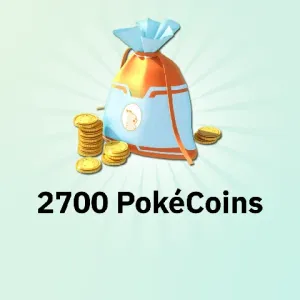
2700 PokéCoins
2700 PokéCoins
$8.87
-$11.12
$19.99
Discount30%
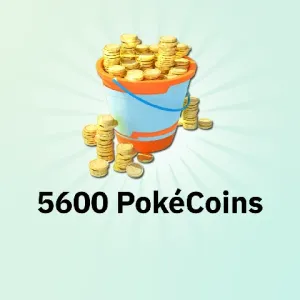
5600 PokéCoins
5600 PokéCoins
$15.08
-$24.91
$39.99
Discount50%
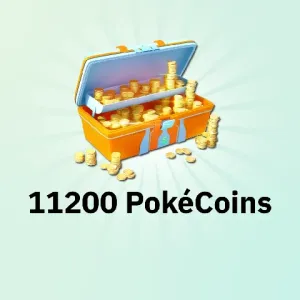
11200 PokéCoins
11200 PokéCoins
$30.14
-$49.85
$79.99
Discount70%
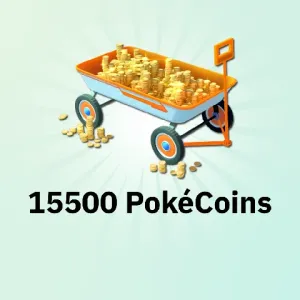
15500 PokéCoins
15500 PokéCoins
$34.56
-$65.43
$99.99

Heb je niet het gewenste spelcadeaupakket?

Productbeschrijving
Pokémon GO PokéCoins top-up banner
POKÉMON GO POKÉCOINS TOP-UP

The cheapest way to get PokéCoins:Save up to 65% vs. the in-game shop, delivered in as little as 6 minutes

All six PokéCoin bundles are listed with the in-game price next to ours, and the per-coin price goes as low as US$0.0022 — you can grab a GO Pass on the same page too. A few spins short on the event, bag almost full, event ends tonight? Pick a bundle, enter your account details and you're topped up.

In-game price shown for every bundleDelivered in 6–28 min on averageYou get exactly what you orderLogin details used only for the top-up
See PokéCoin bundles
Max savings
65%
Lowest per-coin price
US$0.0022
Typical delivery
6–28 min
Login methods
PTC / Google / FB

Supported regions and login methods

Before you order, make sure your game account meets both of these.

Supported region
Global server (iOS / Android international server shared by players worldwide)
Supported login methods
Pokémon Trainer Club (PTC) accounts, Google accounts, Facebook accounts

How we top up

Pokémon GO has no UID-based direct top-up, so we offer top-up via account login: whatever bundle you order is exactly what we buy for you.

Recommended · Works for all six PokéCoin bundles
PokéCoins top-up via login
·Pick your bundle at checkout and enter your login method, username, password and Trainer nickname
·Once you've paid, a team member logs in to your account and buys the bundle you ordered in the in-game shop
·When it's done, log in to check and change your password. We log out as soon as the top-up is finished and don't stay signed in
This season only
GO Pass purchase
·Three options: Deluxe, Deluxe + 10 Ranks, and Deluxe Value Box
·Done via login just like PokéCoins, with the same details to fill in
·Passes are only valid for the current season, so buy before the season ends

Things to know about top-up via login

Top-up via login needs your login details, so please read these four points before paying.

How it works
A team member logs in to your account and buys the bundle you ordered in the in-game shop. PokéCoins and Pokémon are tied to your account, not your device, so if you switch phones or reinstall the game, just log in with the same method.
Buying tips
Pick your bundle by per-coin price based on the total coins you actually receive. That's more reliable than looking at the discount percentage. 14,500 + 1,000 PokéCoins works out to US$0.0022 per coin, 57% less than the 550 PokéCoins bundle (US$0.0052).
Peace of mind
We only collect login details on the order page, never through chat apps. We won't ask you to turn off 2-step verification, and we won't ask for anything beyond the verification code. We log out as soon as the top-up is done. Payment details are handled by the payment provider, and we never store card numbers.
Top-up notes
Don't log in to the game while the top-up is in progress, or you might kick our session offline. PokéCoins are virtual goods and can't be cancelled or refunded once the top-up is complete.
Tip: before you pay, double-check these three things — bundle, login method, Trainer nickname. If any of them is wrong, the coins could end up in someone else's account and can't be recovered.

PokéCoin prices

The six bundles below are priced in US dollars. You can switch currency at checkout, and the checkout page shows the final amount. Per-coin price = total price ÷ coins actually received.

Quick top-up
550 PokéCoins
US$2.84
In-game approx. US$4.99 · US$0.0052 per coin
Save approx. US$2.15 · 43%
1,200 + 100 PokéCoins
US$5.32
In-game approx. US$9.99 · US$0.0041 per coin
Save approx. US$4.67 · 47%
2,500 + 200 PokéCoins
US$8.87
In-game approx. US$19.99 · US$0.0033 per coin
Save approx. US$11.12 · 56%
Most popular
5,200 + 400 PokéCoins
US$15.08
In-game approx. US$39.99 · US$0.0027 per coin
Save approx. US$24.91 · 62%
11,200 PokéCoins (big pack)
US$30.14
In-game approx. US$79.99 · US$0.0027 per coin
Save approx. US$49.85 · 62%
Best deal
14,500 + 1,000 PokéCoins
US$34.56
In-game approx. US$99.99 · US$0.0022 per coin
Save approx. US$65.43 · 65%
The 11,200-coin bundle isn't offered in the official shop, so its in-game price is based on the 5,200 + 400 bundle. It has the same per-coin price as the 5,600-coin bundle; the only difference is how much you pay at once.

PokéCoin price comparison

Approx. savings = (in-game approx. − our price) ÷ in-game approx.

Bundle
Grecharge
In-game approx.
Save approx.
550 coins
US$2.84
US$4.99
43%
1,300 coins
US$5.32
US$9.99
47%
2,700 coins
US$8.87
US$19.99
56%
5,600 coinsMost popular
US$15.08
US$39.99
62%
11,200 coins
US$30.14
US$79.99
62%
15,500 coinsBest value
US$34.56
US$99.99
65%

In-game prices are the official shop's public USD prices; the actual amount is whatever the official page shows. The prices above are for reference only, and the final amount is what's shown on the product page and at checkout.

GO Pass prices

Passes are only valid for the current season, so buy before the season ends.

Item
Grecharge
In-game approx.
Save approx.
GO Pass Deluxe
US$4.43
US$7.99
45%
GO Pass Deluxe + 10 Ranks
US$5.32
US$9.99
47%
GO Pass Deluxe Value Box
US$7.1
US$14.99
53%

Not sure how to buy? Just follow these four steps

Whatever bundle you order is exactly what we top up. All you need to do is make sure your account details are correct.

1
Pick a bundle
Check the price cards above and choose the PokéCoins amount or pass you need
2
Enter your account details
Login method (PTC / Google / Facebook), username, password and Trainer nickname. Double-check before submitting
3
Pay
After payment, a team member logs in to your account and tops up the bundle you ordered. Please don't log in to the game during this time
4
Check and change your password
Once you get the completion notice, log in to check your PokéCoins, then change your password
Budget guide:Just need some items or a bag upgrade once? The 550 bundle (US$2.84) does the job. Raiding a lot during an event month? Go for the 2,700 bundle (US$8.87). Buy every season's pass and play every event? The 5,600 bundle (US$15.08) is the most popular pick. Stocking up for the long run? The 15,500 bundle (US$34.56) has the lowest per-coin price.

Ordering during events

Orders pile up in the 2 hours before and after events like Community Day and GO Fest, and you may wait 1–24 hours, so we recommend ordering a day early. Join Grecharge Discord to get a 5% coupon.

Picked your item? You're ready to order
For the full process, see “Top-up process” below.
Back to top to choose a top-up item
This platform is an independently operated seller of virtual goods and top-up services, and is not the official operator or partner of any game or app. All game names, trademarks, icons and other marks shown on this page belong to their respective owners. In-game prices listed on this page are compiled from public information for price comparison only and may change if the official prices are adjusted. Please follow the game's official terms of service and assess for yourself the account risks that third-party top-ups may involve.


Oplaadproces

1
Before you buy: confirm your details and account
Almost every failed login or top-up to the wrong account happens because details weren't checked before ordering. Confirm the four details, your login method and account security here, and everything after goes smoothly.

Have these four details ready before you top up

Pokémon GO is topped up via login, so it all depends on logging in to the right account. Get these four things ready before you order.

Login methods
Pokémon Trainer Club (PTC, recommended), Google or Facebook. If your account is linked to more than one, choose PTC
Username and password
The username (Email / username) and password for that login method. Upper and lower case must match
Trainer nickname
The name shown in the game, used by customer support to double-check we've logged in to your account
Bundle to buy
Just pick the PokéCoin bundle or GO Pass on the product page
Whatever bundle you order is exactly what we top up. The only thing you need to do is make sure your account details are correct: login method, username, password and Trainer nickname.

Where's my player account? Find it in one step

Whichever login button you tap when you open the game, your account is the username and password for that platform. The three login methods match three types of game account:

Google account
Your Google account and password, e.g. [email protected]
Facebook account
Your Facebook account (the Email or phone number you log in with) and password
PTC account
Your Pokémon Trainer Club account (username or Email) and password
Not sure which one you use?Log out of the game and reopen it. The button you usually tap on the login screen is your answer. Choose the same one when ordering and enter that platform's username and password.

Is your PTC account linked? Check in four steps

Choosing the wrong login method is the most common reason orders get stuck. Take a quick look with the four steps below; if it says LINKED, you're good to order.
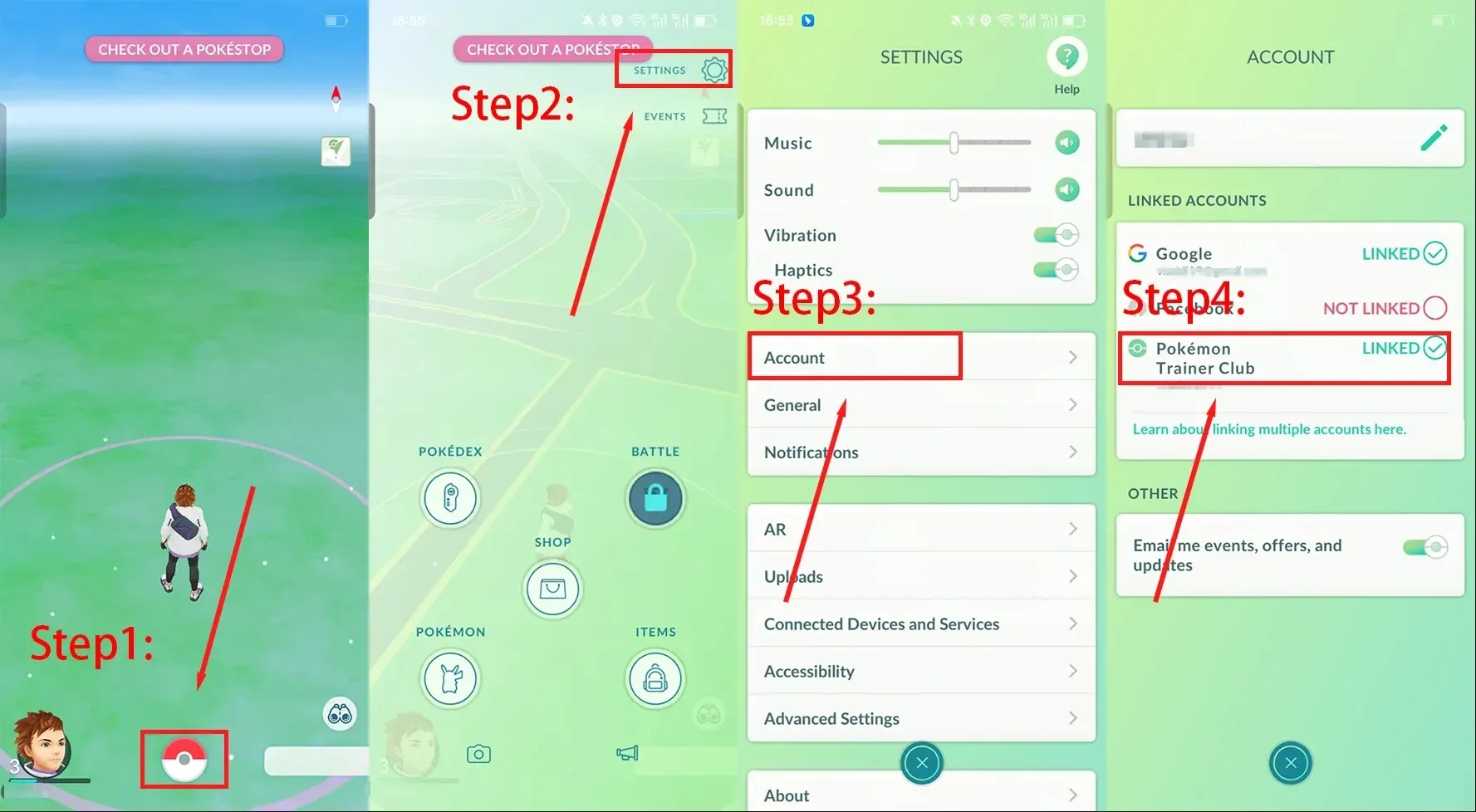
1
Open the Poké Ball menu
Tap the Poké Ball at the bottom of the game screen
2
Open settings
Tap “SETTINGS” in the top right
3
Open your account
Scroll down to “Account” and tap it
4
Check linked accounts
If Pokémon Trainer Club shows “LINKED” under “LINKED ACCOUNTS”, it's linked
Is your PTC account linked? Check in four steps: Step 1 tap the Poké Ball, Step 2 tap SETTINGS, Step 3 tap Account, Step 4 under LINKED ACCOUNTS check that Pokémon Trainer Club shows LINKED
Fig. 1 Poké Ball → SETTINGS → Account → LINKED ACCOUNTS, check that Trainer Club is LINKED
What if it says NOT LINKED:Link PTC in the game first and then order, or choose the Google / Facebook login you actually use when ordering. If the login method doesn't match the account, your order will be put on hold until you send the missing info.

Three login methods: PTC, Google or Facebook

All three work for top-ups; the difference is how many verifications come up and how fast delivery is.

Top pick
Pokémon Trainer Club (recommended)
·Fewest verification prompts, smoothest process, fastest delivery
·Just needs your username, password and Trainer nickname
·If your account is linked to more than one method, choose this
Use when your phone is handy
Google account
·More likely to trigger extra verification, slower delivery
·Keep your phone nearby and tap confirm when you see the Google sign-in prompt
·For players who haven't linked PTC and only use Google login
Watch for login confirmation
Facebook account
·May trigger a Facebook login confirmation, slower delivery
·Make sure you can receive notifications in the Facebook app or by email
·For players who only use Facebook login

Account security: what to do before you order

Top-up via login needs your login details, so security is on both of us. Do what's on the left, avoid what's on the right.

Do
・Only enter your login details on the Grecharge order page
・Check your username, password and Trainer nickname character by character before submitting
・Don't log in to the game during the top-up
・Change your password as soon as the coins arrive, and turn on 2-step verification
・Check your account's logged-in devices and recent activity
Don't
・Don't give your password or verification code to anyone in Discord or social media DMs (including people claiming to be customer support)
・Don't place the same order again just because it's taking a while
・Don't trust anyone who asks you to turn off 2-step verification — the legit process never needs that
・Don't choose a different option from the login method you actually use
2
While buying: order and pay without skipping steps
The only thing that can really go wrong here is entering the wrong account details. Follow every step and the whole order takes under five minutes.

Order in five steps

What takes the most time is actually making sure your account details are right. Don't skip any step.

1
Choose a bundle
Pick the PokéCoin bundle or GO Pass on the product page and confirm the amount and price
2
Enter your account details
Login method, username, password and Trainer nickname. Check them carefully before submitting. We can see your details in our system, so no need to resend them in chat
3
Pay
Google Pay / Apple Pay / credit card and more, depending on what the checkout page shows
4
Wait for the top-up to finish
A team member tops up the bundle you ordered, and you can track progress in the order center. Please don't log in to the game during this time
5
Restart the game to collect
Once you get the completion notice, restart the game, log in and check the shop to confirm your PokéCoins or pass have arrived

Fees and refunds: read before you pay

PokéCoins are virtual goods added straight to your account and can't be taken back once they're in. Read these four points before paying.

Fees
The listed price is the checkout price and already includes processing fees. No extra service or platform fees are added at payment; the checkout page shows the final amount
Currency
Priced in USD; you can switch currency at checkout. Any cross-border transaction fees and live exchange rates are charged by your card issuer or payment provider
Wrong account details
PokéCoins go straight into whichever account we log in to and can't be reversed, so no refunds in this case. Please check your username, password and Trainer nickname character by character before ordering
Not received
Restart the game first and check your PokéCoin balance in the shop. If you still haven't received them after 30 minutes, contact customer support with your order number

When to pay and how fast it goes

You can order 24 hours a day, but processing speed varies with the time of day and how busy events are.

Recommended
Weekday daytime (smoothest)
10 AM to 5 PM has the fewest orders, and things usually go through on the first try.
Avoid
Evening peak
Wednesday and Friday evenings 18:00–22:00 are clear order peaks, so waits get longer.
Order early
Around event launches
Orders spike from 1 hour before Community Day and GO Fest, so please order a day early.

How long does it take? Depends on the situation

Actual wait depends on your login method, whether it's your first order, and when you order.

Situation
Typical wait
Why, and what you can do
PTC login, correct details
6–15 min
Shortest process, one less verification. Don't log in to the game after ordering, or you might kick our session offline
Google / Facebook login
10–28 min
More likely to trigger extra verification. Keep your phone able to receive notifications and tap confirm when you see the authorization prompt
First order
Toward the upper end
We need to manually check your account and nickname. Don't place another order just because it's taking a while; duplicate orders need a separate refund
2 hours before/after event launch
1–24 hours
Orders pile up and manual processing has a queue. If you want to use them that day, buy a day early
Incorrect details
On hold until you send the missing info
If we can't log in, the order has to be frozen. Reply to customer support's message right away so your order doesn't sit there
3
After you buy: delivery and after-sales, the safe way
Paying isn't the end. Checking your coins, changing your password, and what to do if something goes wrong: it's all covered here.

After delivery: log in to check, change your password right away

Log in to the game only after you get the completion notice, then go to the shop and check that the PokéCoin count in the top right matches the bundle you ordered; if you bought a pass, check that it's unlocked. Once everything looks right, change your password immediately and check your logged-in devices and recent activity.

What happens if you enter the wrong account details?

Pokémon GO doesn't need screenshots; mistakes almost always come from account details. Here's what happens with four kinds of mistakes.

Mistake
Result
What to do
Typo in username
The item goes to a stranger's account and usually can't be reversed or refunded
Usually not fixableContact customer support right away with your order number
Wrong password
Can't log in, order on hold
Fixable with missing infoReply to customer support with the correct password and we'll continue
Nickname doesn't match
Can't confirm it's your account, process on hold
Fixable with missing infoReply to customer support with the correct nickname
Wrong login method
Can't log in, process stuck
Order can be changedContact customer support to switch to the login method you actually use
Already entered something wrong? Contact customer support right away with your order number, transaction time and the username you entered. The faster you are, the better the chance we can stop it. Within 10 minutes of ordering, the order is usually still in the queue and changes are most likely to succeed; once the coins are in an account, it can't be reversed.

Didn't receive it?

First check: did you log in to the game during the top-up, is there an unconfirmed Google sign-in prompt, and is there a customer support message asking for missing info that you haven't replied to? If it's been over 30 minutes with no coins and no message from customer support, contact customer support with your order number to look into it. Usually the order is just stuck on a details check; the coins haven't vanished.

Pick a bundle, enter the right account, leave the rest to us
At checkout, enter your username, password and Trainer nickname, complete payment, and leave the rest to us.
Back to top to choose a top-up item
Delivery times are typical estimates; actual times depend on the order queue and official server status. Available payment methods are as shown at checkout.


Over het spel

ABOUT POKÉMON GO

Turn the real world into a game map

Head out with your phone, and as you move, Pokémon pop up nearby: catch them with Poké Balls, restock items at PokéStops, and battle other players at Gyms. Players worldwide share the same event and raid schedule, so Community Day, Raid Day and GO Fest all kick off at the same time.

Basic info

Check the basics first, then decide whether to spend and on what.

Item
Details
Developer
Scopely Explore (formerly Niantic, renamed after Scopely's acquisition in 2025)
Release date
Rolled out worldwide from July 2016
Platforms
iOS / Android, free to download
Languages and servers
Multiple languages built in, one international server shared by players worldwide
Monetization
Free to play; the paid currency is PokéCoins
Main purchases
Remote Raid Passes, Raid Passes, Incubators, Bag and Pokémon Storage Upgrades, GO Pass

Where do PokéCoins go? 5 common items

PokéCoins are just tickets for items. The real question is which items are worth spending coins on.

No.
Item
Use
When you need it most
01
Remote Raid Pass
Join raids without being there in person (195 coins for one, 525 coins for three)
Event-exclusive Pokémon, short on time
02
Raid Pass
Do more raids in person (about 100 coins)
Weekend Raid Days, Community Day
03
Incubator
Hatch more eggs at once, hatch faster
Hatching events, filling your Pokédex
04
Bag Upgrade
Permanently raises your item limit (about 200 coins)
Once you've been stockpiling items for a while
05
Pokémon Storage Upgrade
Permanently raises your Pokémon storage (about 200 coins)
Collectors, after Community Day

Item names and prices are as shown in the in-game shop and may be adjusted by the developer with updates.

Upgrade priority: buy one-time, permanent upgrades first and consumables last — Bag Upgrade → Pokémon Storage Upgrade → Raid Pass → Incubator.


Waarom Grecharge kiezen?

icon

Privacy-encryptie, zorgeloos account

Gebruik gegevensversleutelingstechnologie op bankniveau om uw inloggegevens strikt te beschermen.

icon

Bliksem opwaarderen, onmiddellijke betaling

Biedt een supersnelle oplaadervaring, gemiddeld 3-5 minuten na het plaatsen van een bestelling.

icon

24/7, opladen op afroep

Het geautomatiseerde verwerkingssysteem en de handmatige klantenservice zijn 24 uur per dag online om uw dringende behoeften op elk moment op te lossen.

icon

Guanzhong-kwaliteit, mond-tot-mondreclame

Zeg vaarwel tegen het risico van zwarte kaarten, we staan ​​erop dat witte kaarten 100% regelmatig worden opgeladen, en het hele proces is conform.

Copyright ©Hong Kong RADIATION ENTERTAINMENT CO., LIMITED
Alle rechten voorbehouden